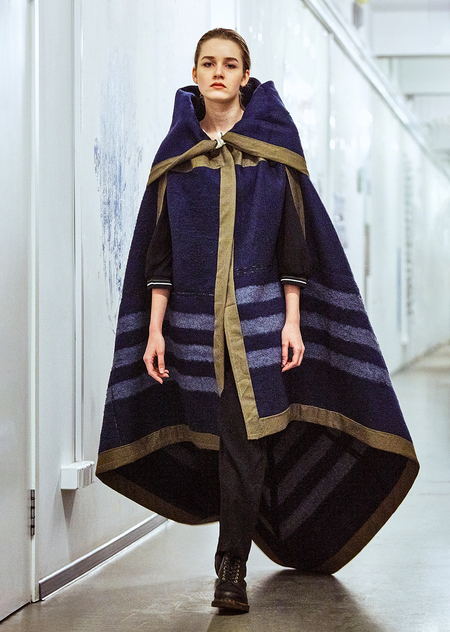
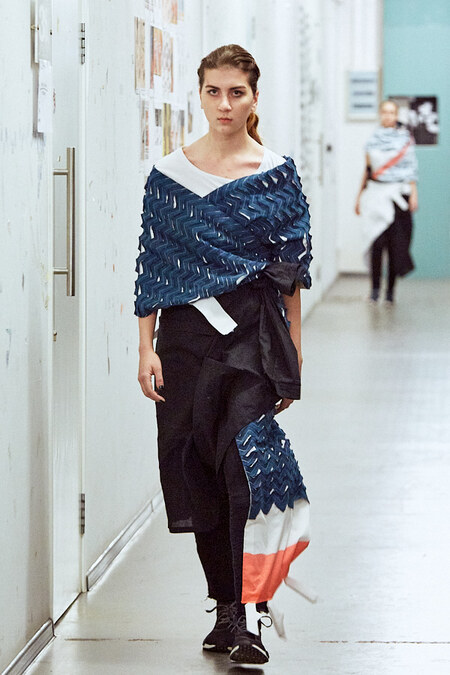
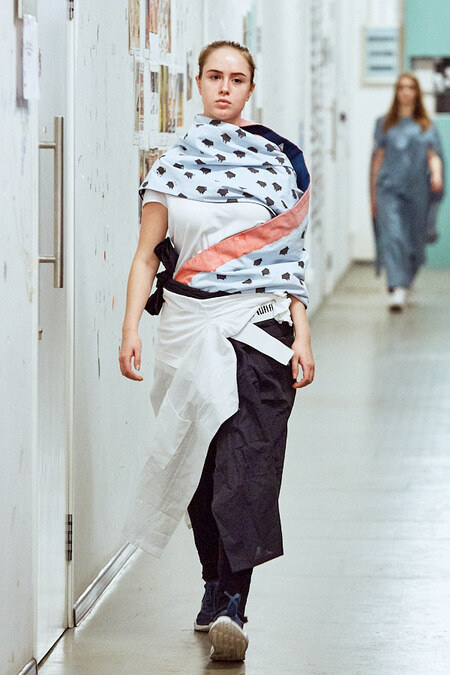
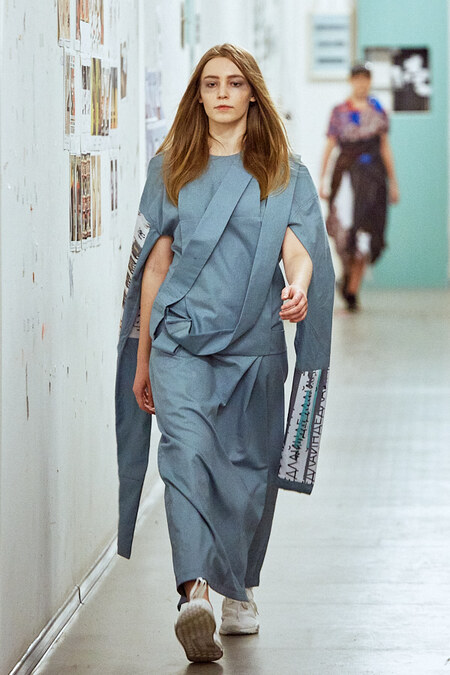
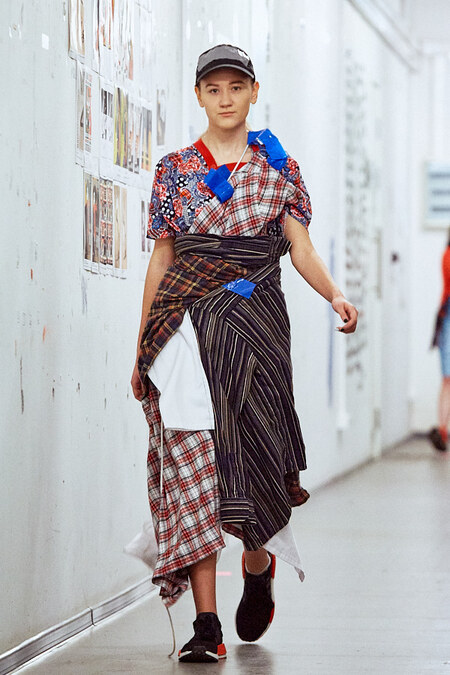
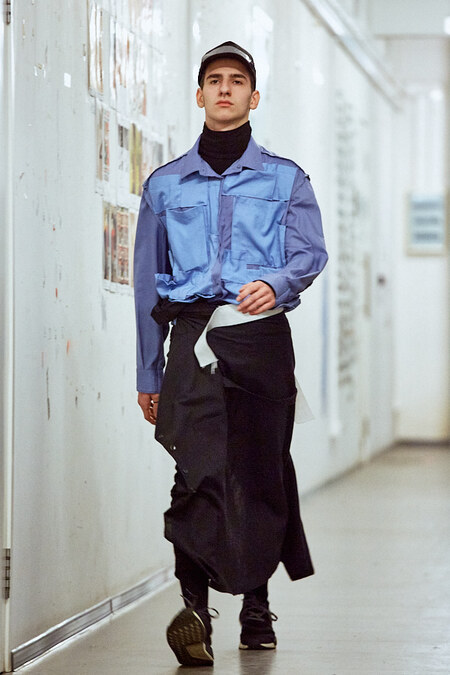
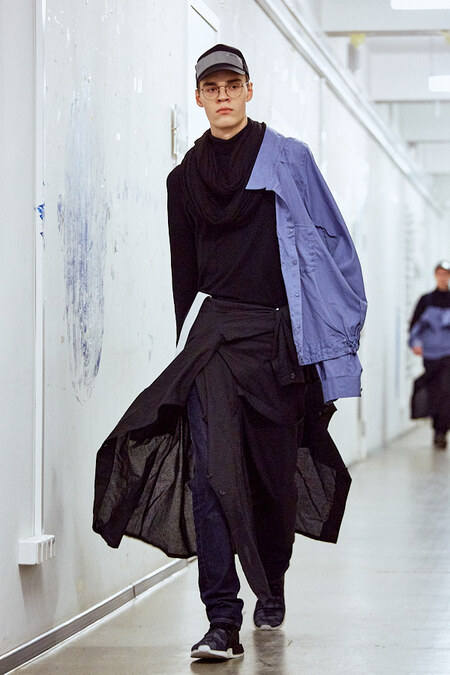
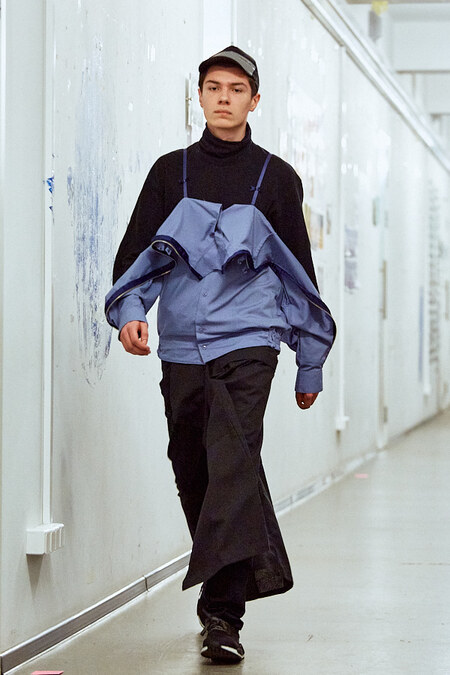
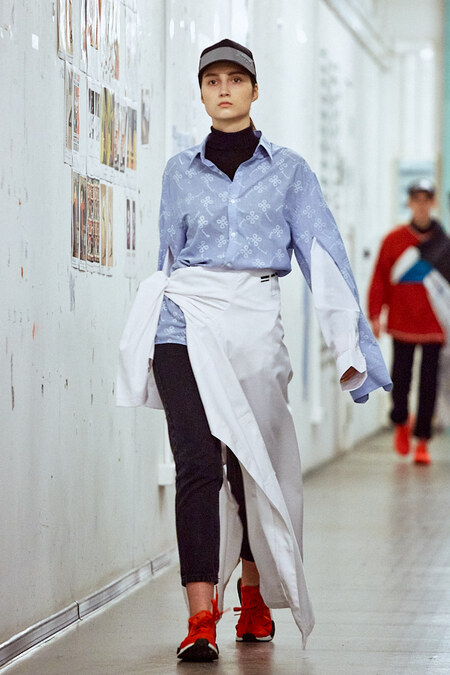
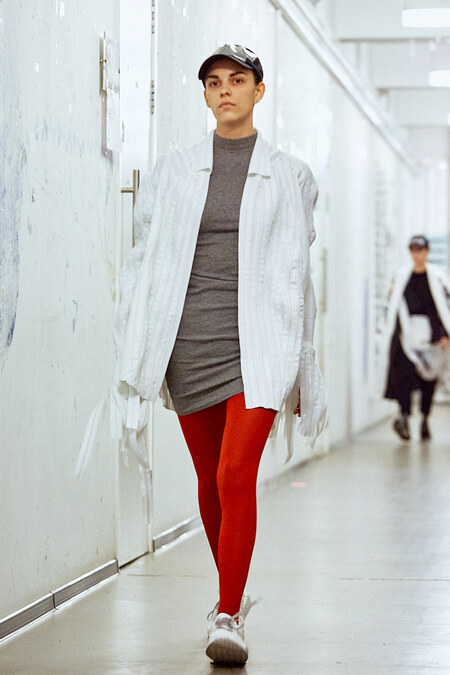
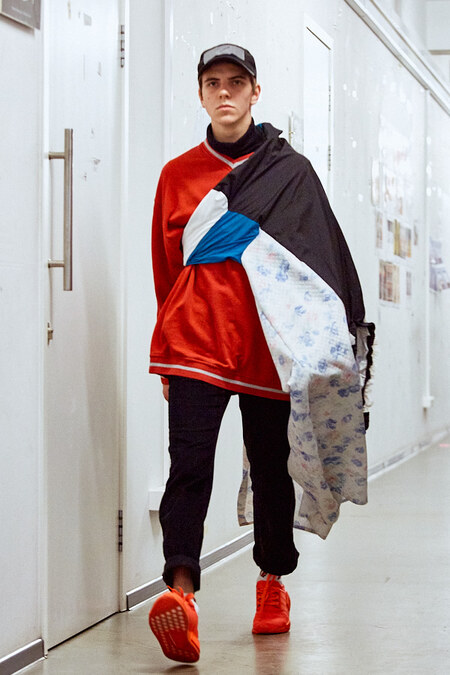
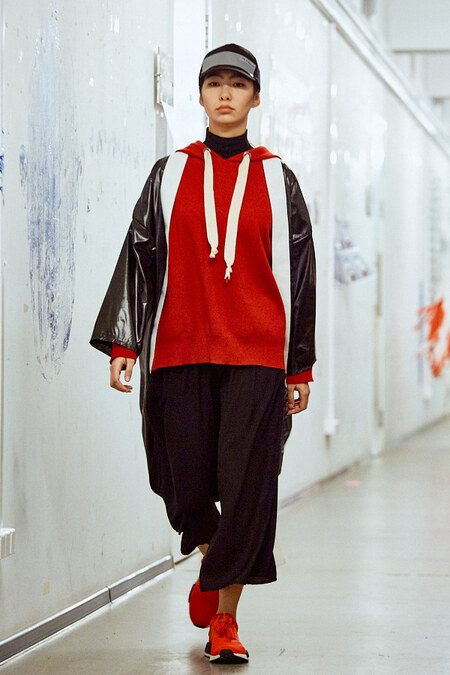
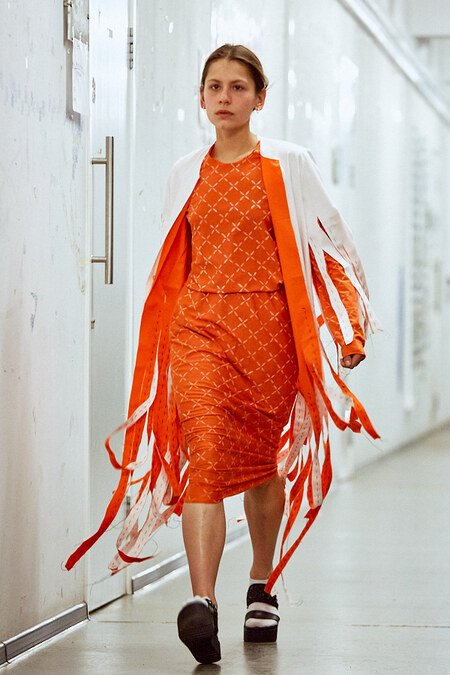
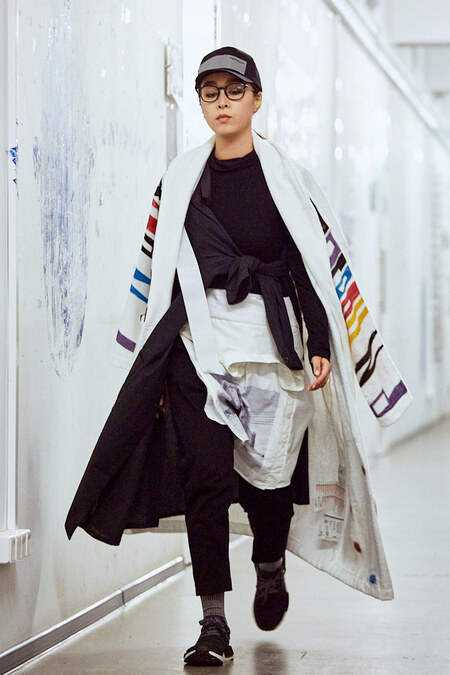
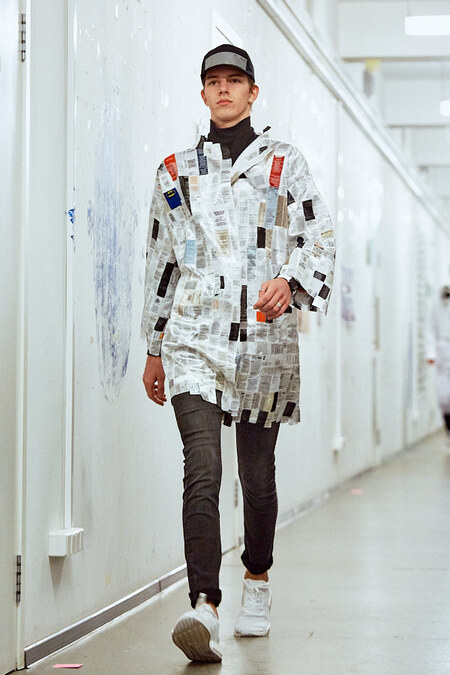
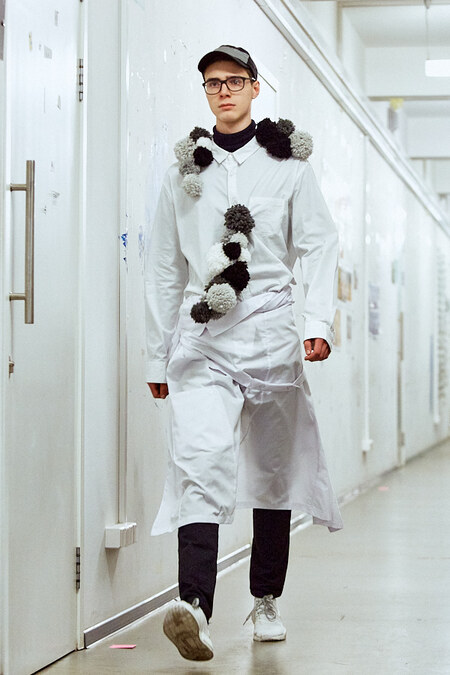
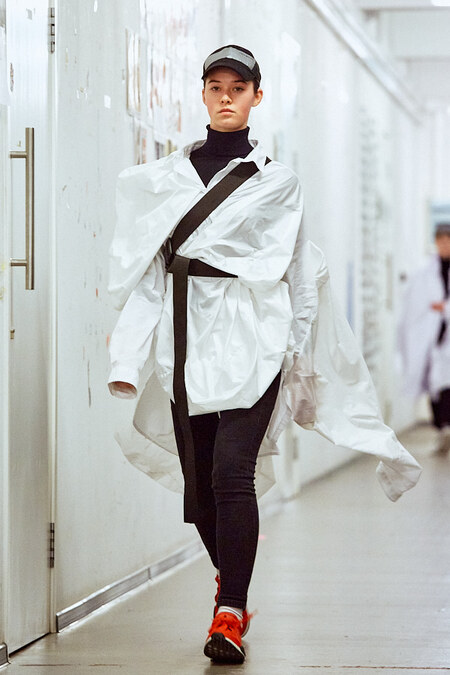
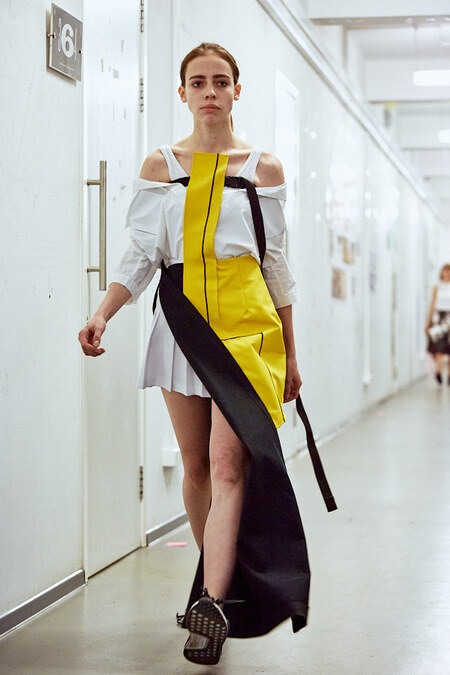
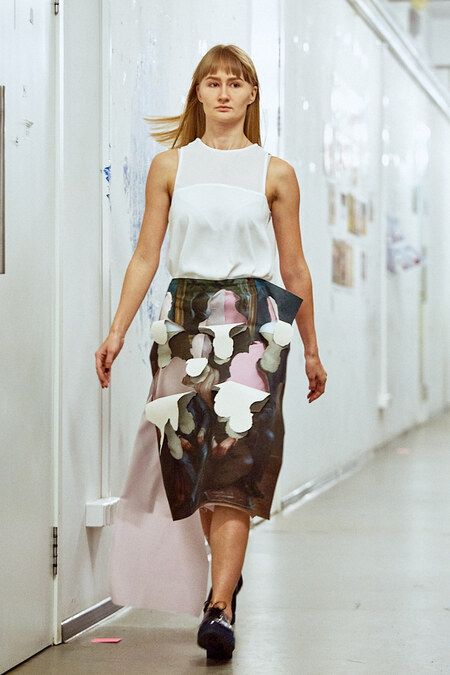
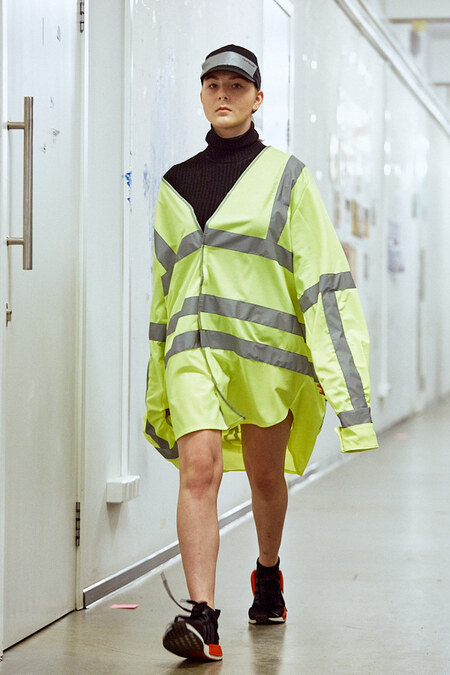
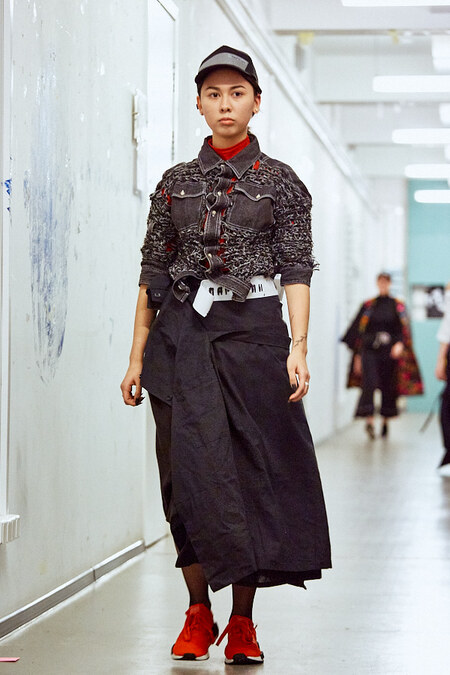
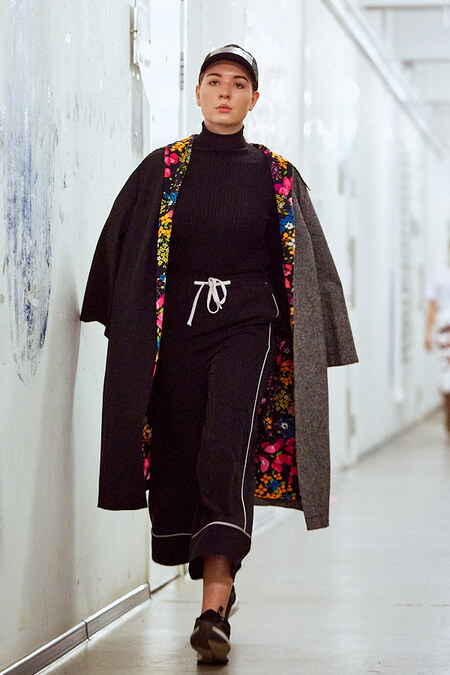
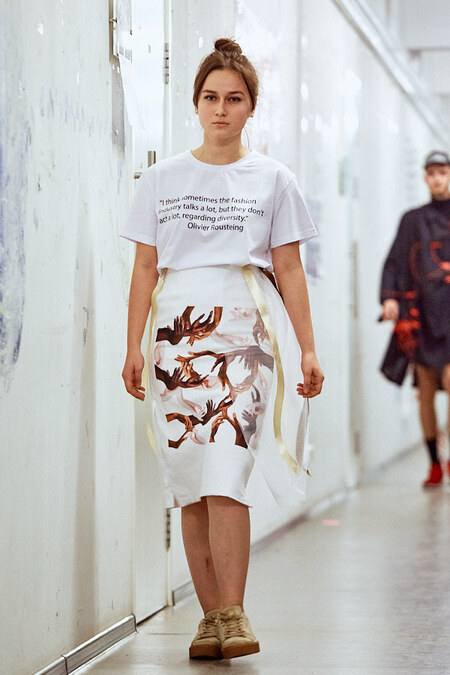
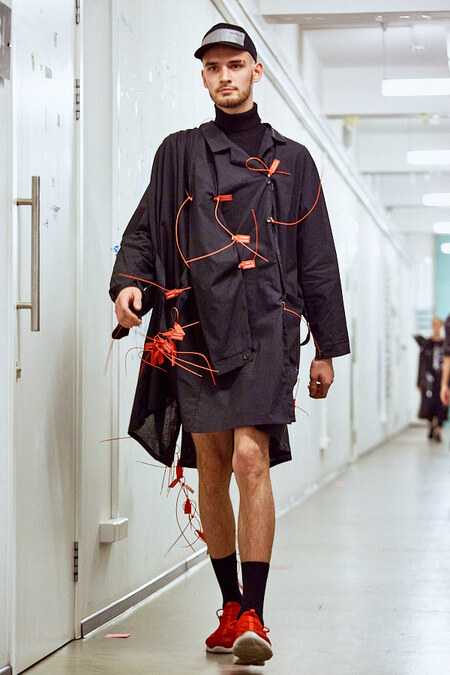
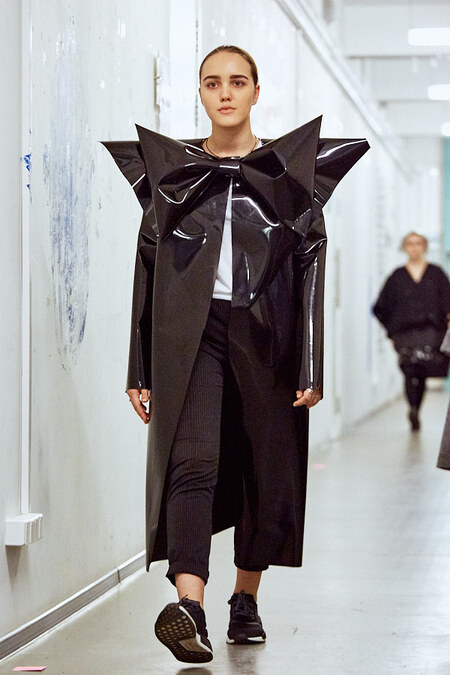
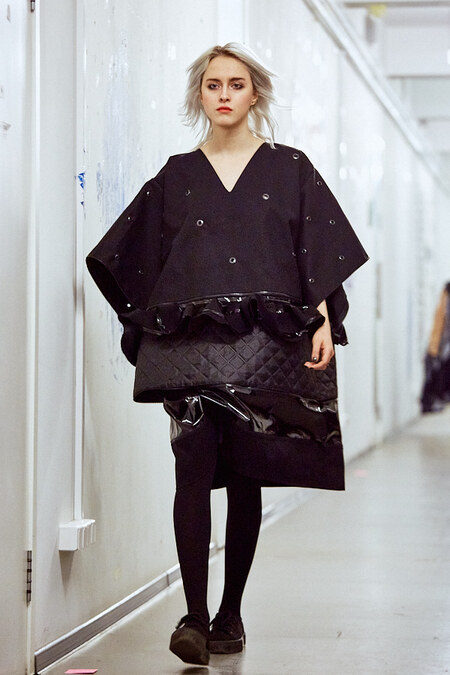
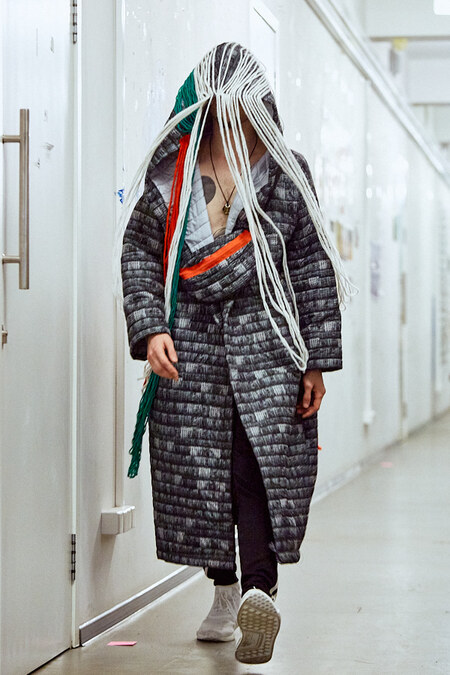
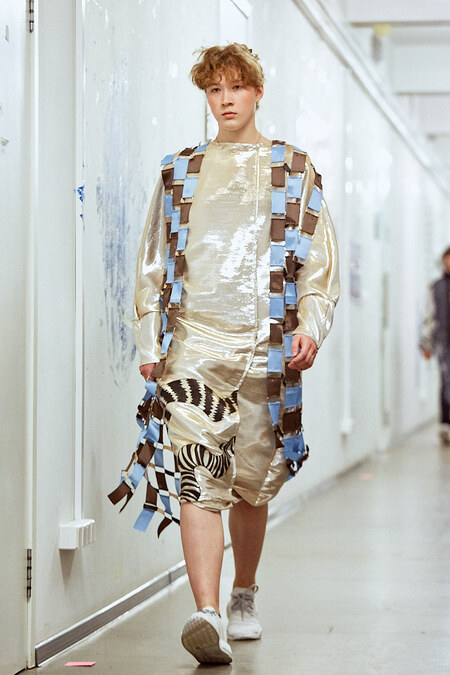
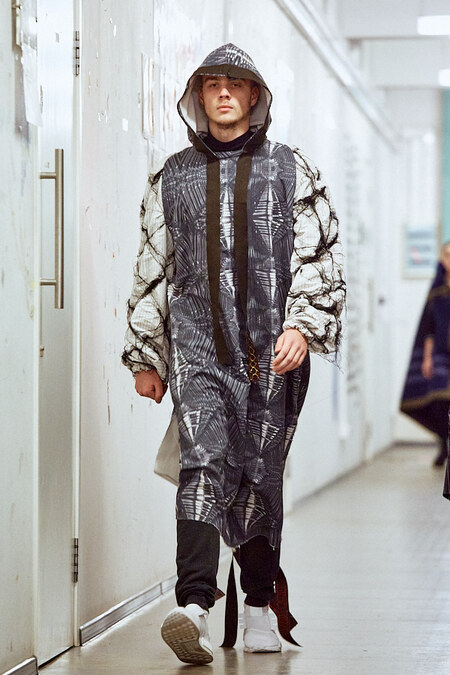
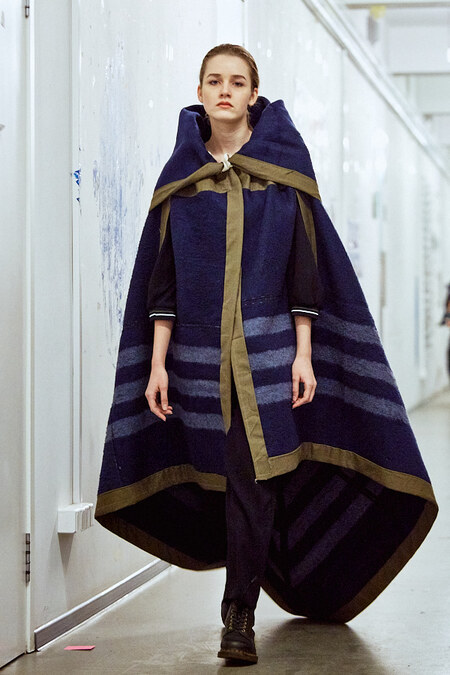
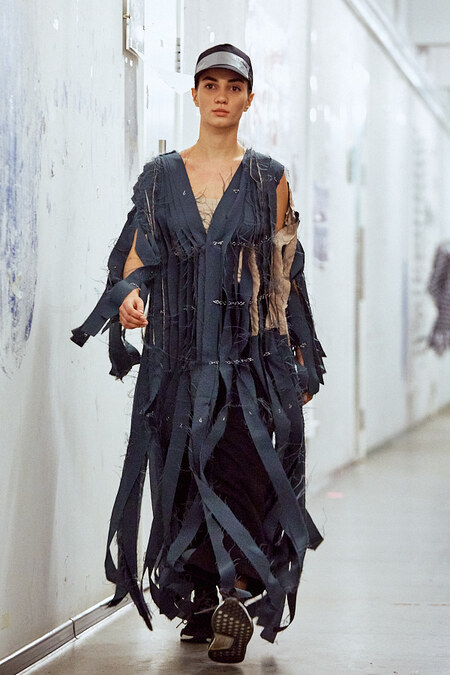
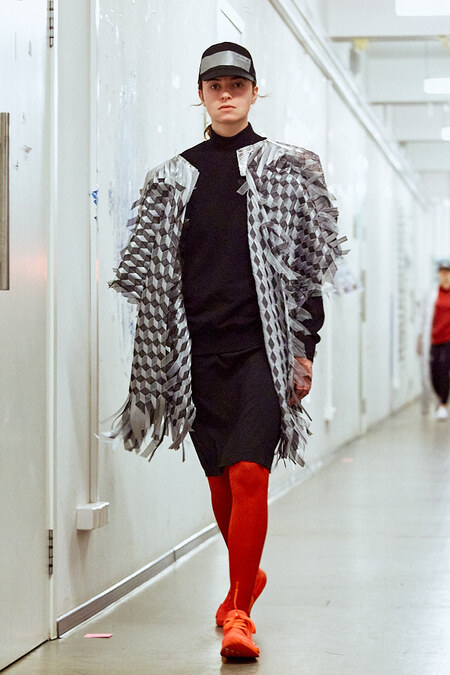
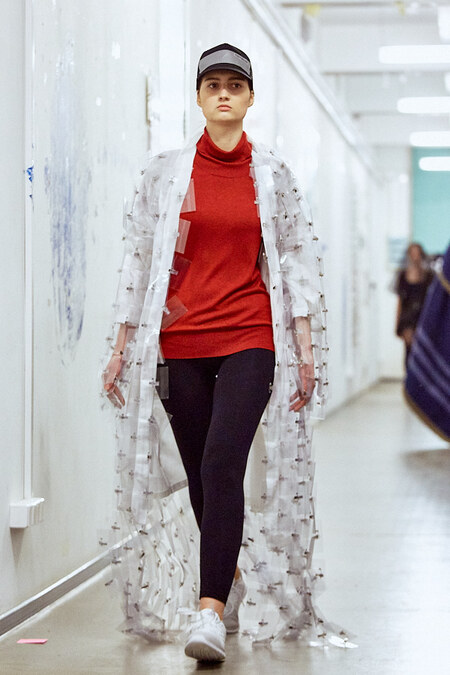
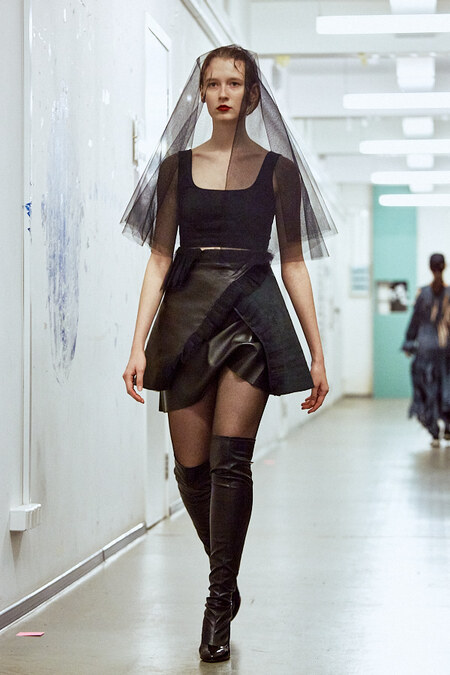
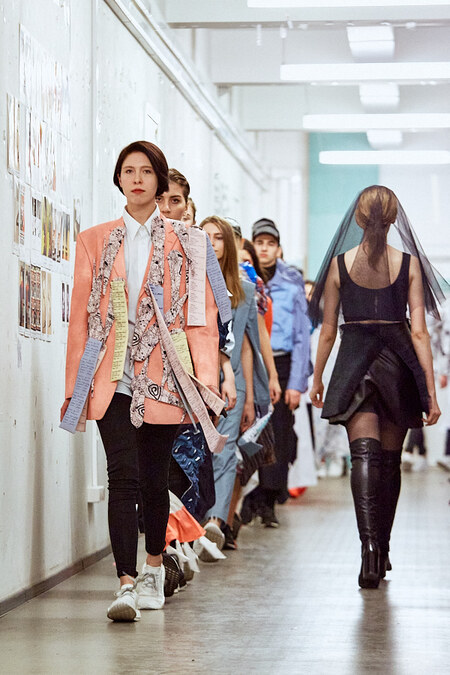
Студенты Школы дизайна НИУ ВШЭ знают, что один из ее ключевых принципов — студент становится дизайнером не когда получает диплом, а с первого дня первого курса. Одно из ярких воплощений этого подхода — показы студентов первого курса профиля «Дизайн одежды», которые традиционно проходят в декабрьский День открытых дверей накануне Нового года.
Студенты показывают свои работы по итогам первого модуля обучения, посвященного освоению принципов концептуального дизайна и работе с источниками. Работы отталкиваются от темы «геолокации» — разработки дизайна на основе изучения природных, социальных и культурных особенностей конкретной локации.
ПЕРВАЯ КОЛЛЕКЦИЯ: показ студентов первого курса Школы дизайна. Декабрь 2017
HSE Fashion представила первую коллекцию студентов первого курса Школы дизайна НИУ ВШЭ в декабре 2017 года. Проект включал показ работ, созданных на основе темы «геолокации» и посвящённых изучению природных, социальных и культурных особенностей локаций.
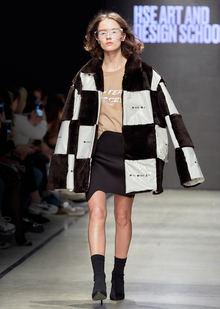
HSE Fashion представила коллекцию HARD 006: Outer Spaces на Mercedes-Benz Fashion Week Russia 3 апреля 2019 года. Проект включает в себя коллекцию, вдохновлённую космосом и расширенной реальностью, созданную студентами Школы дизайна НИУ ВШЭ.
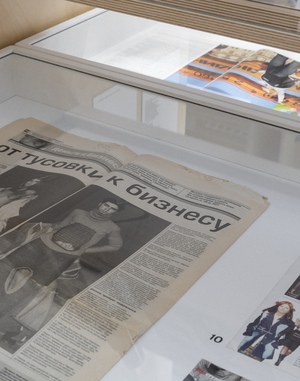
Дискуссия «Зачем культурной институции делать проекты о моде?» в ГЭС-2 представлена в формате публичного обсуждения, организованного Hse Fashion Archive и Людмилой Алябьевой. Проект включает в себя анализ связей между российской модой и искусством 1990-х — начала 2000-х годов и рассказывает о современном интересе к архивам моды.
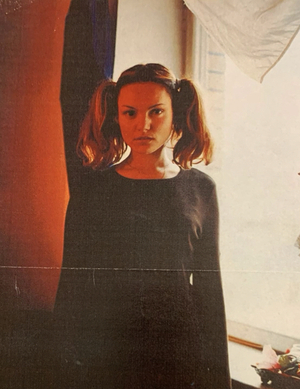
Интервью с Машей Цигаль рассказывает о её творческом пути и влиянии на российскую моду, созданное Hse Fashion Archive. Проект включает в себя уникальные истории о её коллекциях, вдохновении и участии в значимых музыкальных и арт-проектах.
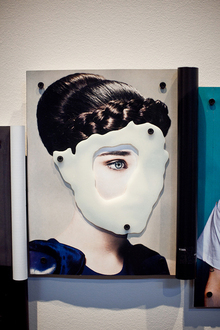
Hse Fashion Archive подготовил подборку выставок с участием российских дизайнеров, которые предлагают нестандартный подход к презентации моды через арт и исследования. Особенностью проекта является акцент на ретроспективных и экспериментальных форматах, таких как выставка «Dysfashional», где вместо традиционных показов использовались художественные инсталляции.
education.mediiia
A platform for professional growth in the creative industries. We bring together those who need new knowledge to start or develop a career, and those who are willing to use their knowledge to create and monetize original training courses.
We use cookies to improve the operation of the website and to enhance its usability. More detailed information on the use of cookies can be fo...
Show more
Press space bar to start a drag.
When dragging you can use the arrow keys to move the item around and escape to cancel.
Some screen readers may require you to be in focus mode or to use your pass through key
Press space bar to start a drag.
When dragging you can use the arrow keys to move the item around and escape to cancel.
Some screen readers may require you to be in focus mode or to use your pass through key
Press space bar to start a drag.
When dragging you can use the arrow keys to move the item around and escape to cancel.
Some screen readers may require you to be in focus mode or to use your pass through key
Press space bar to start a drag.
When dragging you can use the arrow keys to move the item around and escape to cancel.
Some screen readers may require you to be in focus mode or to use your pass through key
Press space bar to start a drag.
When dragging you can use the arrow keys to move the item around and escape to cancel.
Some screen readers may require you to be in focus mode or to use your pass through key
Press space bar to start a drag.
When dragging you can use the arrow keys to move the item around and escape to cancel.
Some screen readers may require you to be in focus mode or to use your pass through key
Press space bar to start a drag.
When dragging you can use the arrow keys to move the item around and escape to cancel.
Some screen readers may require you to be in focus mode or to use your pass through key
Press space bar to start a drag.
When dragging you can use the arrow keys to move the item around and escape to cancel.
Some screen readers may require you to be in focus mode or to use your pass through key
Press space bar to start a drag.
When dragging you can use the arrow keys to move the item around and escape to cancel.
Some screen readers may require you to be in focus mode or to use your pass through key
Press space bar to start a drag.
When dragging you can use the arrow keys to move the item around and escape to cancel.
Some screen readers may require you to be in focus mode or to use your pass through key
Press space bar to start a drag.
When dragging you can use the arrow keys to move the item around and escape to cancel.
Some screen readers may require you to be in focus mode or to use your pass through key
Press space bar to start a drag.
When dragging you can use the arrow keys to move the item around and escape to cancel.
Some screen readers may require you to be in focus mode or to use your pass through key
Press space bar to start a drag.
When dragging you can use the arrow keys to move the item around and escape to cancel.
Some screen readers may require you to be in focus mode or to use your pass through key
Press space bar to start a drag.
When dragging you can use the arrow keys to move the item around and escape to cancel.
Some screen readers may require you to be in focus mode or to use your pass through key
Press space bar to start a drag.
When dragging you can use the arrow keys to move the item around and escape to cancel.
Some screen readers may require you to be in focus mode or to use your pass through key
Press space bar to start a drag.
When dragging you can use the arrow keys to move the item around and escape to cancel.
Some screen readers may require you to be in focus mode or to use your pass through key
Press space bar to start a drag.
When dragging you can use the arrow keys to move the item around and escape to cancel.
Some screen readers may require you to be in focus mode or to use your pass through key
Press space bar to start a drag.
When dragging you can use the arrow keys to move the item around and escape to cancel.
Some screen readers may require you to be in focus mode or to use your pass through key
Press space bar to start a drag.
When dragging you can use the arrow keys to move the item around and escape to cancel.
Some screen readers may require you to be in focus mode or to use your pass through key